Welcome to the new
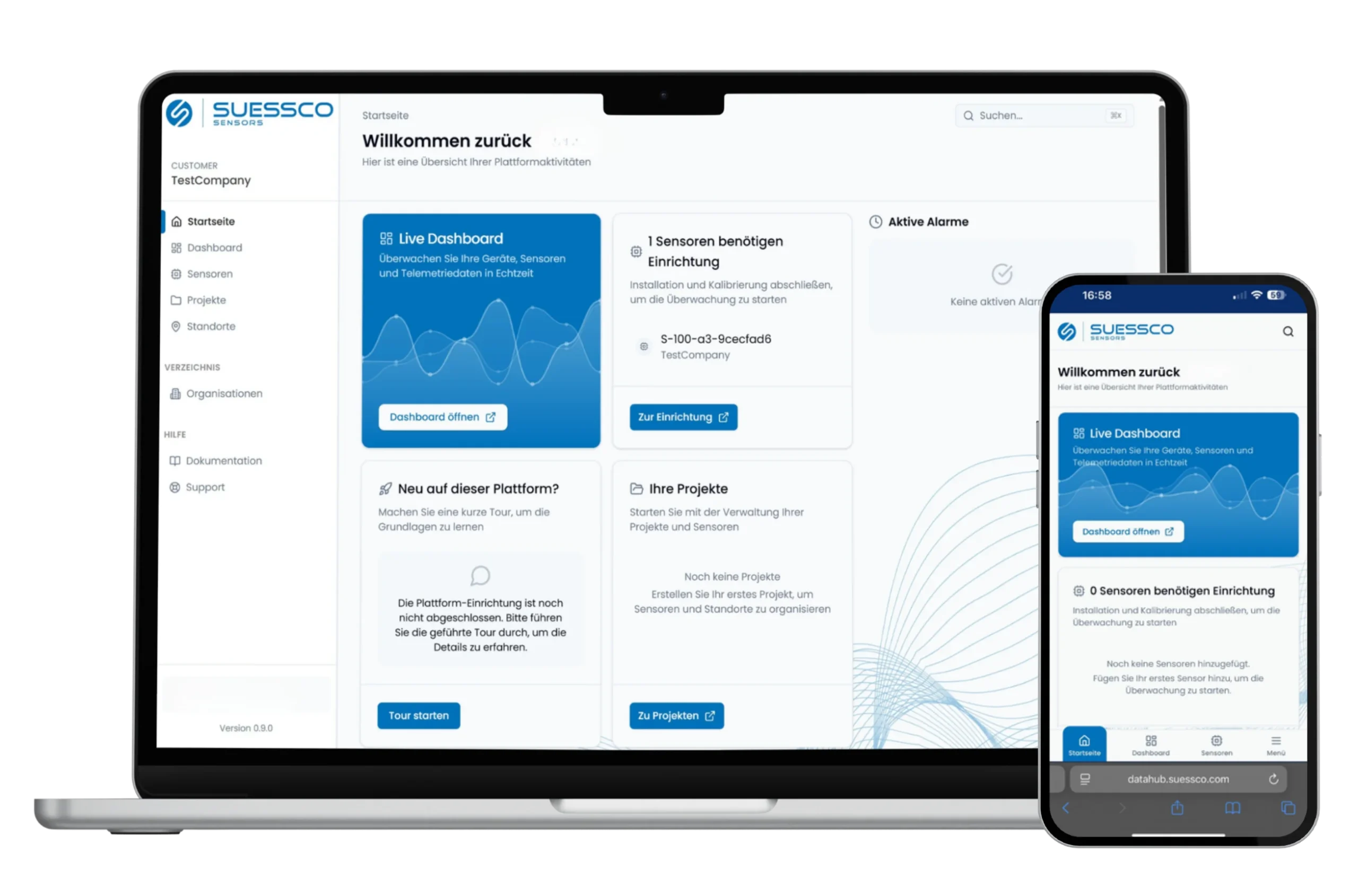
SuessCo Datahub
Log in now: Your new SuessCo Datahub is available
The modern platform for managing, analyzing, and monitoring your monitoring projects.
On this page, you'll find all the important information about the transition, the new features, and registration, as well as a video to help you get started.
Getting Started:
After the migration, you will automatically receive a separate email from the new SuessCo Datahub (noreply@suessco.com). Please follow the instructions in this email to set up your access.
You have 4 weeks after receiving the email to complete your registration .
This video provides a brief overview of the key areas and features of the new SuessCo Datahub.
Important Information:
- Effective immediately, new measurement data will be made available exclusively through the newSuessCo Datahub.
- Existing alerts will be sent via the new data hub in the future.
- The existing dashboard will remain accessible, but it will no longer display new measurement data.
- Their sensors continue to record data without interruption.
- Once your account has been activated, all your data will be fully available in the new Datahub.
Overview of New Features:
Optimized for use on smartphones and tablets
Self-Service Sensor Configuration
Customize measurement intervals, projects, users, devices, and settings on your own
Flexible Alerts with Custom Thresholds
Overview of Device Status, Connection, and Battery
Improved Data Visualization
Comparison of Multiple Devices in a Chart
Built-in Setup Wizard
Open API interface for integration into your own systems
Third-Party Sensor Integration Possible
FAQ
Frequently Asked Questions
If you have any further questions, our support team will be happy to assist you.
Email: support@suessco.com
Support Ticket: https://hub.suessco.com/support (Login required)
What will change for me?
- A new URL: www.hub.suessco.com
- A new password
- Significantly more features and greater ease of use
Do I need to reconfigure my sensors?
No. Your existing sensors and historical measurement data will be carried over. Your sensors will continue to record data without interruption.
How do I log in?
After your account has been migrated, you will automatically receive an email from the new SuessCo Datahub.
To activate your account, click the link in the email and set a new password. You can then log in to Datahub using your email address and the new password you just set.
Why do I have to set a new password?
For security reasons. A new password protects your account and your data.
How long do I have to register?
Once you receive the activation email, you have 4 weeks to complete your registration in the new SuessCo Datahub.
What happens if I don't complete the registration right away?
Your sensors will continue to record data. However, new measurement data will be made available in the new SuessCo Datahub. We therefore recommend that you complete the registration within the specified time frame.
What will happen to the current dashboard?
The existing dashboard will remain accessible. However, new measurement data will be displayed exclusively in the new SuessCo Datahub.
Detailed instructions and documentation for the new Datahub
You can find the documentation at:
https://hub.suessco.com/docs
.
Access is available only when you are logged in.
A general knowledge base is available at:
https://support.suessco.com/de/knowledge-base
.
Will I continue to receive alert notifications?
Yes. Existing alerts will be sent via the new SuessCo Datahub in the future, even if you haven't signed up yet.
What happens to sensors that are offline or have low battery levels?
Sensors that are offline, have a low battery, or have insufficient reception for the firmware update will initially remain in the current dashboard and must be activated manually.
Our system automatically checks as soon as such a device comes back online or is ready for migration, and then carries out the necessary steps on its own.
You will be notified as soon as such a device has been successfully migrated.
From which email addresses will I receive messages about the new SuessCo Datahub?
In connection with the new SuessCo Data Hub, you will receive emails exclusively from:
- support@suessco.com
- noreply@suessco.com
Please add these addresses to your list of trusted senders, if necessary, so that important information and notifications can be delivered reliably.
Set up the Datahub
for your project
During the consultation, we'll show you the Datahub in the demo account and set up access for your project.